

ArangoDB Cheat Sheets
NOTE: The images were exported without background. Please view it with light background.
Working with Graph Databases is not as easy as a regular SQL Database, and currently1 each major Graph DB has its language. The three major ones are Apache Gremlin, Neo4j cypher, and arangoDB AQL.
What to have in mind
For the examples given here, this is the graph structure you should picture in your head
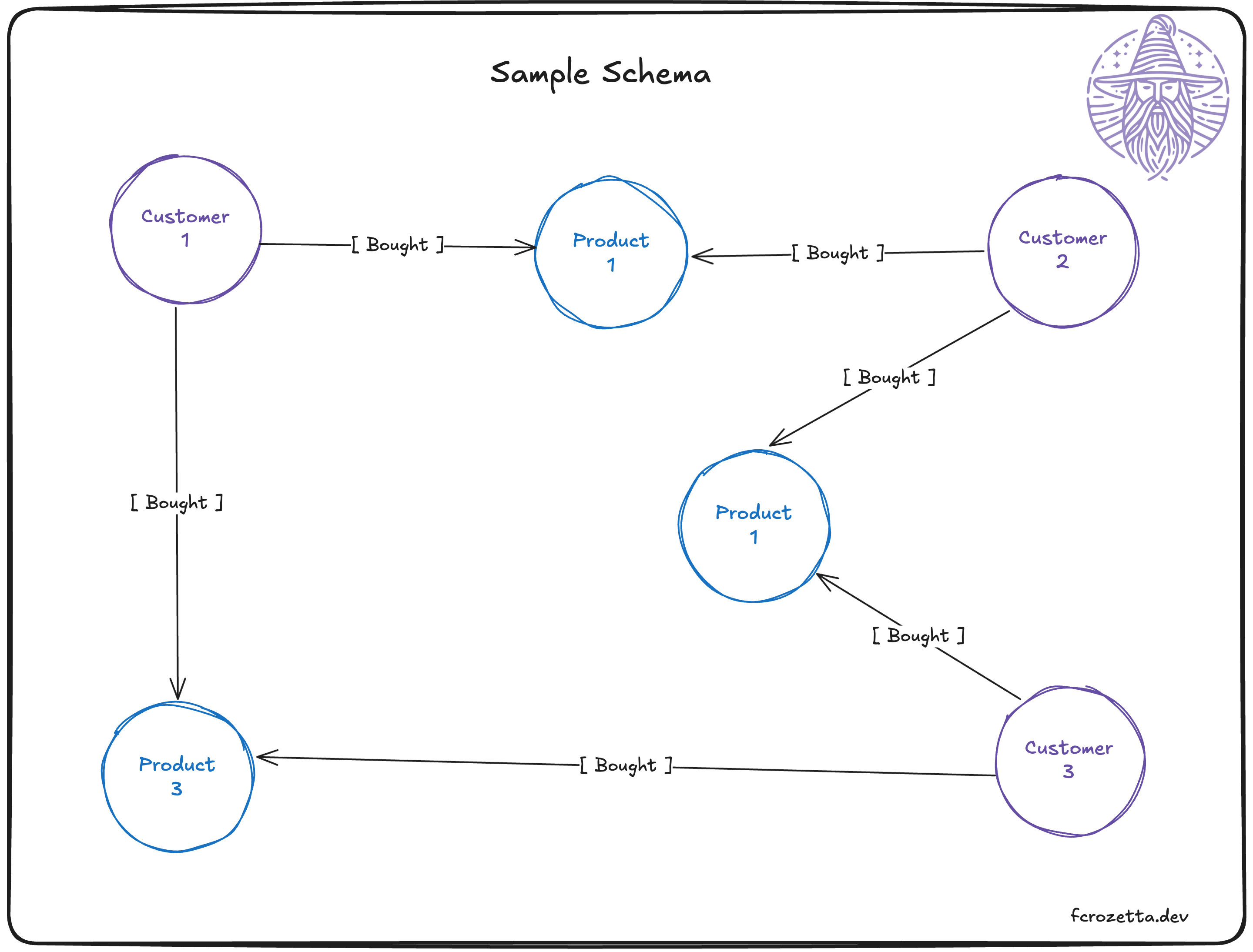
Of course, the image above should not be read as the full graph, but a slice of what it contains, but this should be enough to replicate in your own DB if you need to follow along. This image shows two document collections (customers and products) and one edge collection (purchases).
Arango keywords and differences
Although in graph theory we have a set of keywords to describe their components (usually vertex and edge), every database has its own vocabulary, and meaning for their own components. Some times they overlap, but not always.
ArangoDB also has a different way of storing its nodes and edges. Each one is a document collection, with the difference that an edge collection has two additional required fields: _from and _to. There are more differences, but they are out of the scope of this article.
For queries, you should remember the following terminology for edge direction
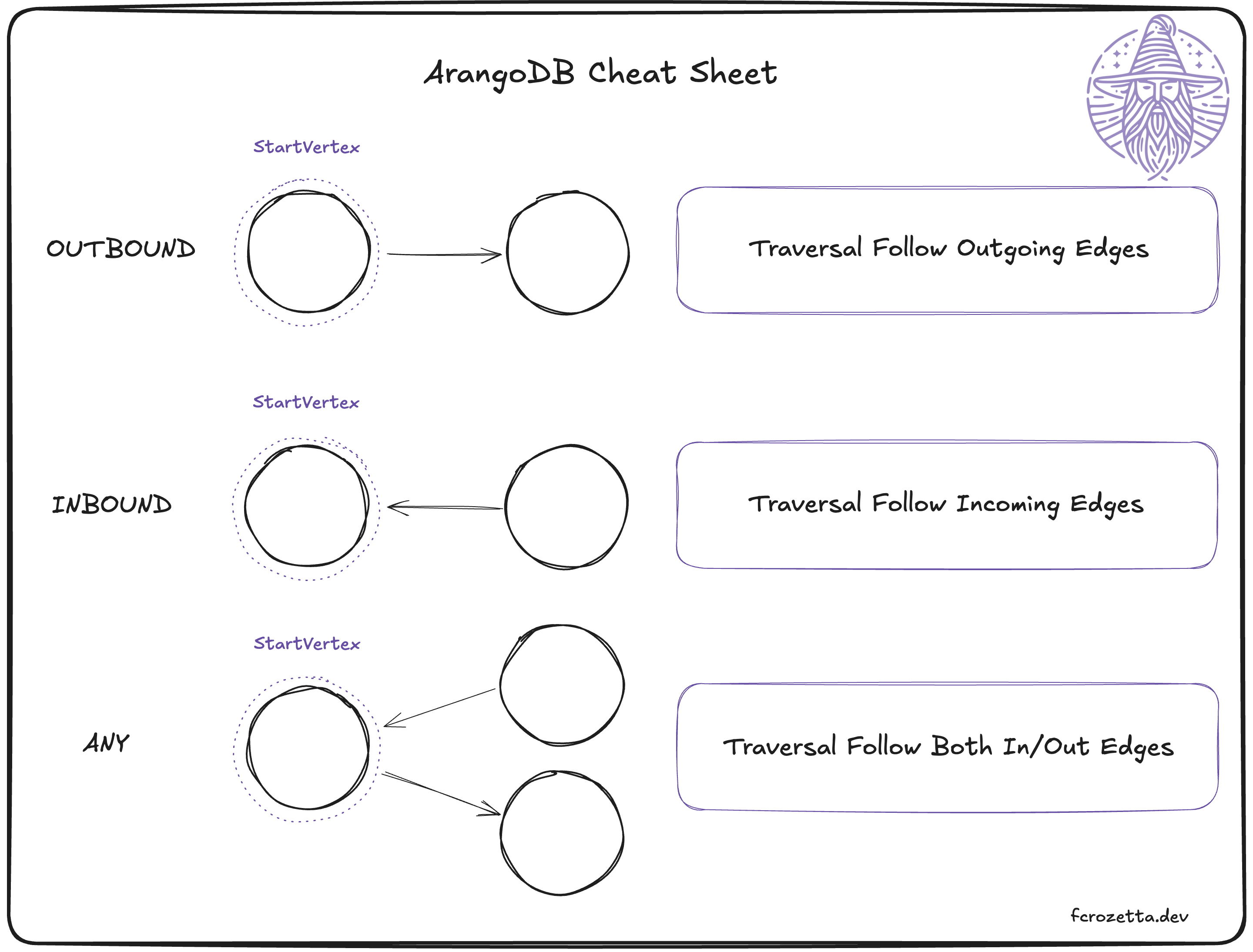
Cheat Sheets
I lied, this is not really a cheat sheet but more like some flash cards. Something you would have in your own notebook2.
CRUD Operations
Create/Update
Inserts are used to add a new document into a collection.
insert {"name":"fcrozetta"}
into customers
Replaces are used to remove all mutable fields, and add the new ones. the field _key must exist so the file can selected.
replace
  {"_key":"myKey", "name":"fcrozetta"}
in customers
Upserts are the versatile option, that allow an insert if not existent, and a update OR replace if the document is found.
upsert {"_key":"myKey"}
  insert {"name":"fcrozetta"}
  update {"name":"new_fcrozetta"}
on customers
Read
In collections
for c in customers
  filter c._key == "myKey"
  return c
In graphs
In graph traversals, it is important to note multiple parameters have to be passed. v,e,p is shown in the example, but you can modify this based on needs.
GRAPH is required, and it has to already exist. if the query has a path, returning p will return the json for the graph (can be used to draw graphs)
for v,e,p
  in 1..1 OUTBOUND 'customers/myId'
  GRAPH "existing_graph"
  return v
Delete
Just deleting by _key is straightforward
remove "myKey" in customersIt is possible to remove documents based on queries
for c in customers
  filter c.active == false
  remove c in customers
Note: in a single query you can have the remove command the same collection once.
Handy queries
The queries here may not respect the schema defined at the start, and you need to modify it according to your needs.
This list should be updated when I create more queries that can be reused.
who bought product x?
nodes: [ customers, products ]
edges: [ purchases ]
schema: customer → product ← customer
@product_key: “products/1”
  for customer in 1..1 INBOUND @product_key
  GRAPH "purchasesGraph"
  return customer._key
this will read everything that is inbound to the product (defined by the variable) in the graph purchasesGraph. Then it will return the customer nodes keys in a list.
what are the top X most bought products?
for purchase in purchases
    collect product = purchase._to into customers_of_product
      let countCustomers = length(customers_of_product)
      sort countCustomers desc
return {"Product":product,"customers":countCustomers}
here it is nice to notice some details. First, the variable product serves like a pointer to the field. In this case, product is a “pointer” to purchase._to.
the customers_of_product is a list that contains the purchases (that we looped in line 1).
Piece of Wisdom: Think of this process like an in memory SQL table, where the columns will be product, customers_of_product and later we add countCustomers via let keyword. This is why we can sort on countCustomers and have everything correctly organized. in SQL, we would so something like:
SELECT _to as product, COUNT(_from) AS customerCount
FROM purchases
GROUP BY product
ORDER BY customerCount DESC;December 2024.
Or grimoire.